The Database Back End
In our continuing quest to explore what goes on “under the hood” of digital humanities projects, this week we are moving from the front-end client-side user experience to the database “back end” on the server side, where all the data storage and information retrieval magic happens. In order to perform analysis, or present the results of our research to the public on the web, we first need to collect, categorize and store our data in a way that will give us the best combination of structure and flexibility.
You can use a simple flat spreadsheet to store enough data to power some pretty impressive applications using JavaScript alone, like using the Google Maps API or the beautiful TimelineJS framework.
In the past, students in this class used the TimelineJS framework to make Timeline of Carleton History, and the backend was nothing more than a simple Google Sheet.
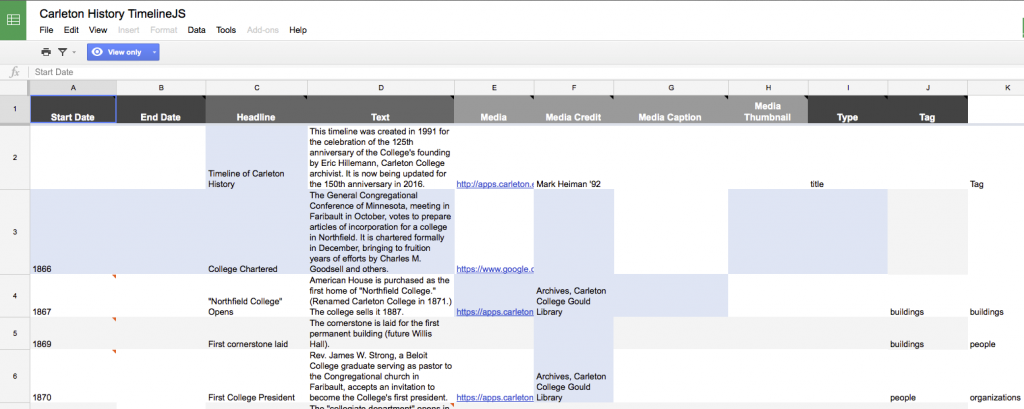
This works great for the timeline, but what if we wanted to do different things with the same data? What if we wanted to reorder our data by something other than chronology, or extract all the people or buildings, or add spatial locations? And what if we wanted to model the relationships between those elements? Our spreadsheet is just not flexible enough for this. In order to store complex data sets, we need a more sophisticated way to store it; enter the relational database.
There is a vast amount of literature out there on database design theory and practice, but the articles we read for this week provide a good starting point into the general characteristics of relational databases, and the raging debates over how to move beyond them in the brave new world of ‘big data‘ in humanities research.
The key takeaway from these debates is that “data” are not value free and neutral pieces of information. Any time we break information down and classify it into categories, we are imposing our human world view and experiences on the information, whether consciously or not. This is unavoidable, but the best way to deal with it honestly is to acknowledge our biases, document our decisions and explain our thinking at each step of the process. The resulting metadata (data about the data) are critical for successful scholarly projects, and we will discuss their importance throughout the course.
For today though, we are interested primarily in exploring how relational databases work in a typical DH project, which often shares a lot of similarities with how web applications work in general.
SIDE NOTE: In the past few years, there has been an increasing call to move away from CMSes and database-driven sites and back towards static websites. This is not pining for the bad old days, but instead relying on the increasing number of static site generators like Jekyll that let you build the site locally on your machine and push static HTML to a host rather than reacting to user requests and populating HTML with content as in most database-backed web sites. While there are many benefits to this approach, especially for fairly simple sites like blogs and those without much user interaction, there are some drawbacks to static site generators for DH projects. Knowing how databases interact with client side systems is still a valuable skill, which we will be focusing on in this course.
In Class: Setting up Your Own Server
For today, we are interested primarily in exploring how relational databases work in a typical DH project, which often shares a lot of similarities with how web applications work in general. So we are going to stick with what we already know and get to know databases by exploring the backend of a WordPress site.
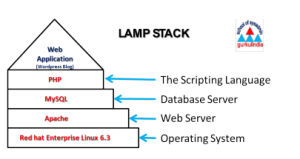
If you were going to do this the old fashioned way, you would need some space on a server running the LAMP stack (Linux, Apache, MySQL, and PHP) to install and run a fully customizable WordPress site, but we are going to using our cPanel in Reclaim Hosting which takes care of all the system administration work for us.
Follow these instructions to log into your Carleton Sites cPanel and install your own WordPress site.
Most web applications and DH projects consist of two main components: files and a database.
The main WordPress files you’ll interact with are the PHP files in the theme layer, which change the look and feel of your site, and the plugins in the plugins directory, which add functionality. Check out the Resources section below for more on how to customize these.
The database can be accessed via phpMyAdmin, a super helpful tool that lets you interrogate and take actions on the database without having to type SQL commands directly into a shell prompt.
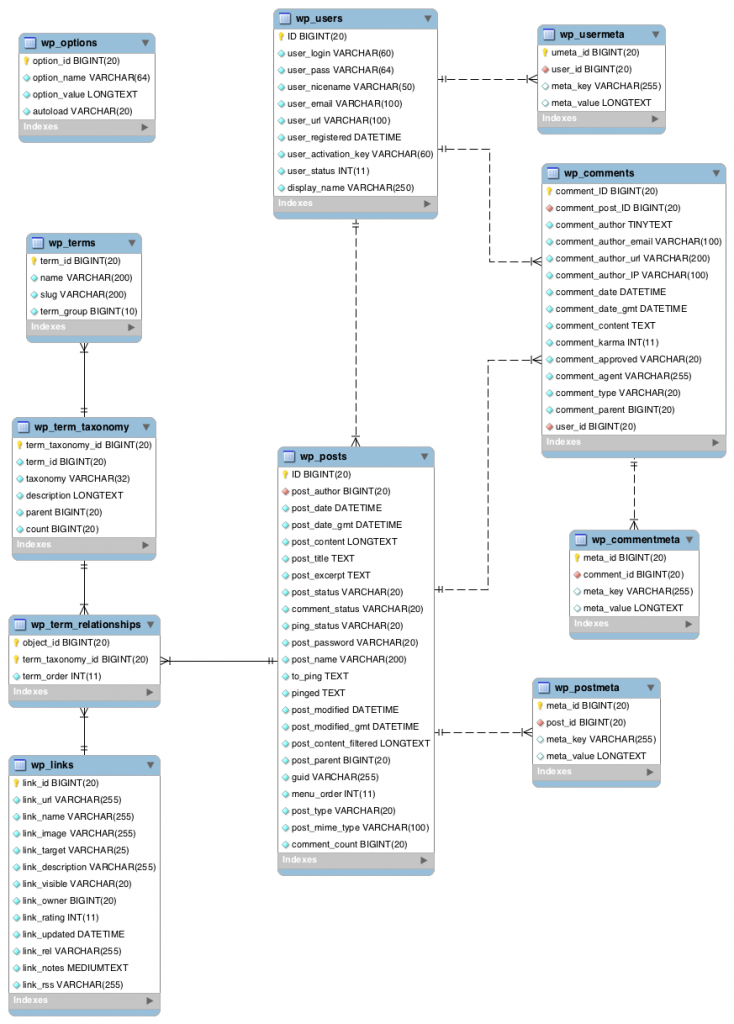
- Explore your WordPress db, consulting the diagram at right,
- See if you can figure out how the data and metadata of a typical post, page and comment are broken up and stored in the db.
- Add a new plugin and a new theme to your site.
- Did either change the database?
- Which one?
- Why?
Continue to explore the guts of WordPress and ask yourself: how are the data structured, stored, and ultimately rendered in the browser? Do you understand all the component parts?
“Big” Data and the Humanities
Big Data generally refers to extremely large datasets that require demanding computational analysis to reveal patterns and trends, such as the map below generated from the data in millions of Twitter posts. We are producing reams of this data in the 21st century, but how do we analyze it from a humanities perspective? How do we perform these sorts of analyses if we are interested in periods before regular digital record keeping?

Enter digitization and citizen science initiatives. One of the major trends in Digital Humanities work is the digitization of old records or print books that are then made searchable and available online for analysis. Google Books is the most well-known project of this type. Tim Hitchcock’s article about his pioneering historical projects in this arena, e.g. the Old Bailey Online and London Lives gives another example. These projects took years to build and required the dedicated paid labor of a team of scholars and professionals. But there’s another model out there that relies on the unpaid labor of thousands of non-expert volunteers who collectively are able to do this work faster and more accurately than our current computers: crowdsourcing.
Zooniverse is a crowdsourcing initiative that bills itself as “the world’s largest and most popular platform for people-powered research.” This platform takes advantage of the fact that people can distinguish detailed differences between images that regularly trip up computers, and empowers non-experts to contribute to serious research by reducing complex problems to relatively straightforward decisions:
- is this galaxy a spiral or an ellipse?
- is this a lion or a zebra?
- is this the Greek letter tau or epsilon?
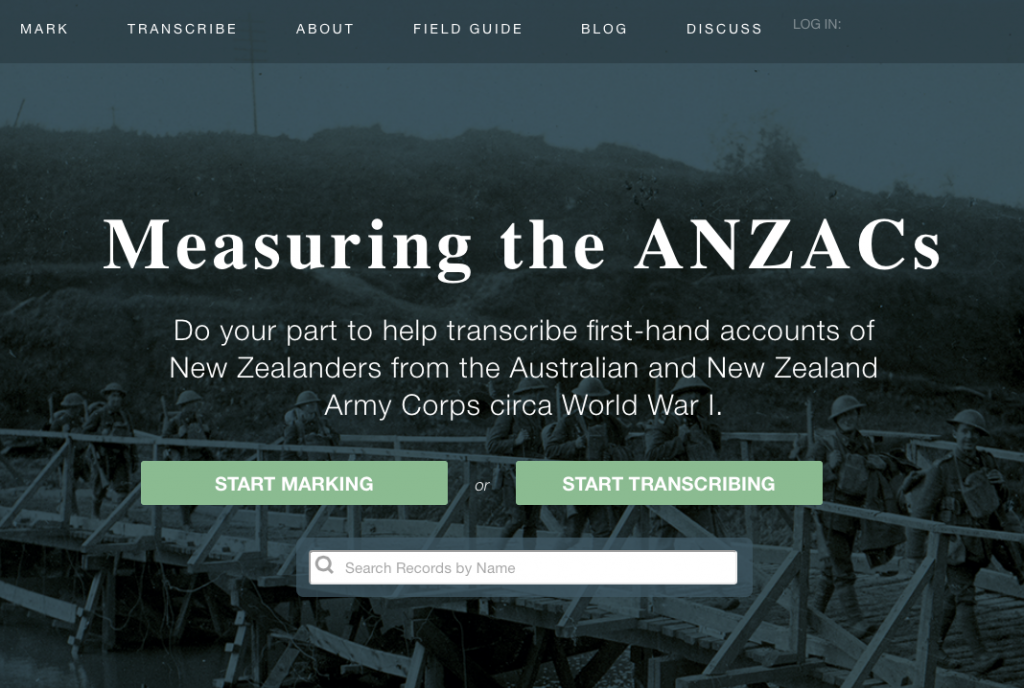
One recent project from the University of Minnesota, Measuring the Anzacs, seeks to study demographic and health trends in the early 20th century by transcribing 4.5 million pages worth of service records from the Australian and New Zealand Army Corps during WWI. This data would take countless years to process with a small team of researchers, but they hope to speed up this process tremendously by taking advantage of the fact that there are lots of people who have access to a computer, speak English and can read handwriting.
Tim Hitchcock has written about a central conundrum in digital history:
How to turn big data in to good history? How do we preserve the democratic and accessible character of the web, while using the tools of a technocratic science model in which popular engagement is generally an afterthought rather than the point.
The Zooniverse model has taken a major step towards resolving this tension and turning formerly restricted research practices into consciously public digital humanities work.
In Class: Crowdsourcing
Try your hand at contributing to a crowdsourcing project!
Explore the Zooniverse projects page and filter for an Arts or Humanities discipline that interests you.
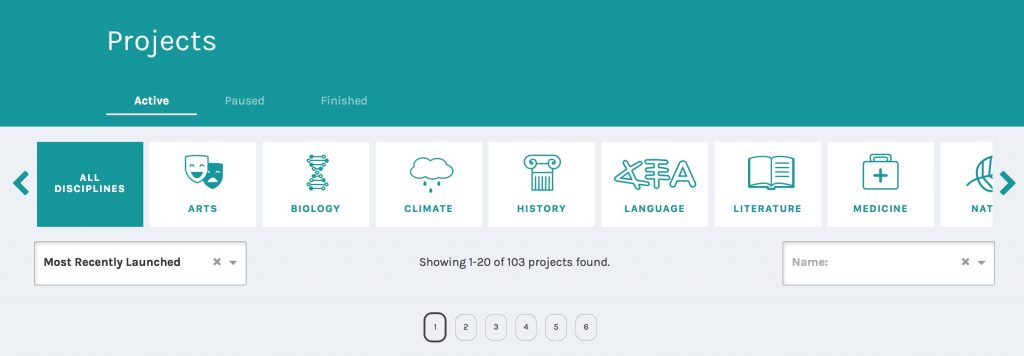
Choose a project, follow it’s instructions, and contribute some labor to its data collection.
When you’re done, post a brief comment below giving some feedback on the process by answering one of the following questions.
- Were the instructions easy to follow?
- If transcription based, was the text easy to transcribe?
- If not, what work did you do?
- Did you feel like you were making a real contribution to the project?
- What did you get out of the project, from a humanities perspective?
- Are there ethical issues with relying on unpaid labor in this way?
Assignment
The assignment for this week is to get to know your new hosting environment by setting up your own WordPress site with full administrator controls:
First, make sure you have installed WordPress following the instructions linked above, and then spend some time setting up your personal website on your newly installed server. These are the most basic steps you should take to get your site looking like personalized rather than a generic WordPress blog.
- Delete (or at least unpublish) all default content
- Hello World! post
- Sample Page
- Sample Comment,
- etc.
- Create an “About” page (not Post) to let the world know who you are
- Write a brief bio paragraph about your background, what you are studying, your goals, etc. and post it to the site. See mine at meDHieval.com for an example.
- Protect your site from comment spam, by activitating the Akismet plugin.
- You can follow these instructions
- Choose a new theme to install and activate it
- Use the theme’s Customizer function or add the Simple Custom CSS plugin and use your DevTools skills to change at least one element of your site’s design via CSS code
- If you need help with installing plugins, or want to install more, follow the helpful guide at UMW’s Domain of One’s Own help site
Finally, write a short blog post on THIS COURSE SITE introducing and linking to your new blog discussing your experience setting up your own WordPress install.
- What might you do with this platform?
- What benefits or drawbacks come with “rolling your own” website instead of signing up for a hosted service or using a social media platform?

,
I explored a project within the ‘Language’ category which revolved around understanding how language development takes place in children between the ages of 3 months and 4 years. I was presented with various short clips of baby sounds and was asked to classify them based on its type – whether crying, or laughing, canonical, non-canonical, etc. The instructions for the project were easy to follow and well outlined and it helped that the researchers laid out their goals for the project because that definitely made me feel like I was making a contribution to it without requiring much commitment. I was surprised by how many people were logged in to that same project at the same time, especially because this is unpaid labor but I also see some of the problems associated with such unpaid tasks – it might cause the contributors to not take the task seriously and could negatively affect the way the project is set up if the answers provided by the participants are not honest or authentic.