In the spirit of learning by making and diving in head first, we are starting with some relatively easy 3D modeling. This course’s collective projects in the past have revolved around Carleton’s built environment and building histories, and fabricating an interactive reproduction of it in 3D. We will be discussing the theoretical implications of such a project throughout the term, but since the skills required to model in 3D are complex, we will begin practicing in week one.

The 3D software with the gentlest learning curve is SketchUp. Formerly owned by Google (but since sold to Trimble), it puts an emphasis on ease of use and compatibility and the free version is now browser based so you can use any machine to get started. This is the software that many of the early 3D buildings in Google Earth were created with. Despite the user-friendly goals, SketchUp is a powerful program used by architectural and design professionals and will let you start making impressively detailed models very quickly, which can then be exported in a variety of formats.
Getting Started with SketchUp
- Go to SketchUp.com and register for the web only version of SketchUp for Free.
- Then go directly to the webversion of SketchUp at https://app.sketchup.com/app and Take the Tour to get oriented to the interface
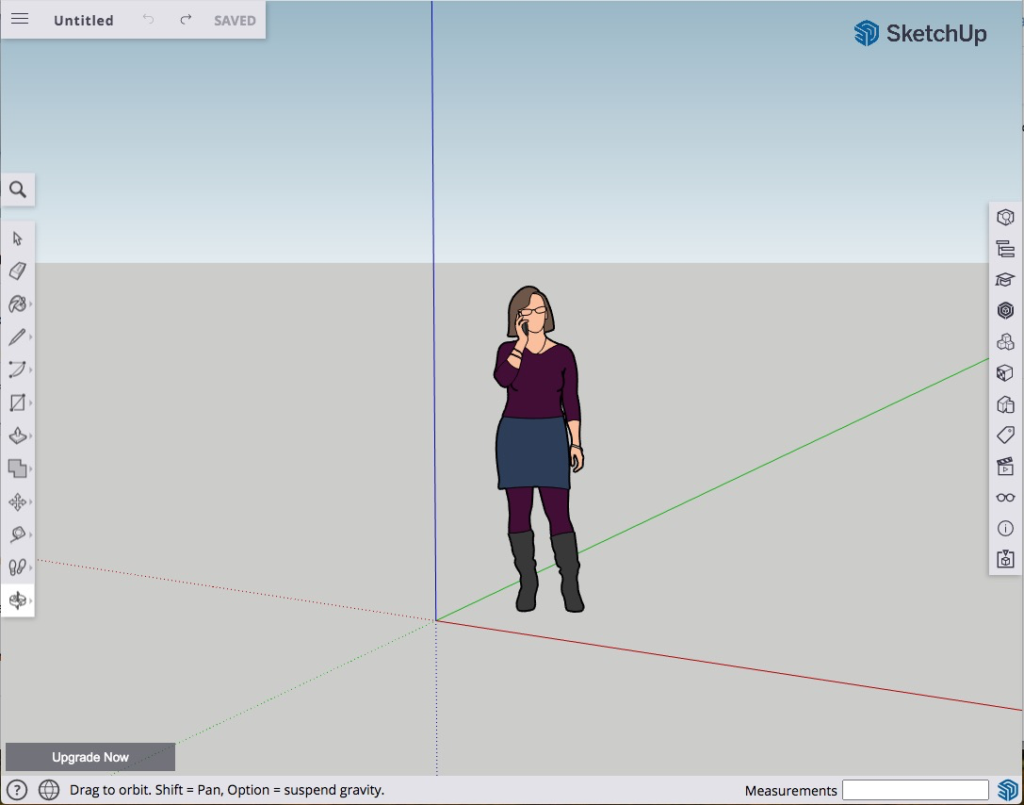
We will start by modeling a simple dog house to get a feel for the software. If you’ve never used SketchUp before, I would encourage you to follow the tutorial videos 2-4 of the list here to get a sense of what all the tools do.
NB: This video series was made using a previous version of SketchUp so the window may look a little different, but the basic tools and icons are all the same in the browser based version.
Assignment
Your assignment is to use the techniques you just learned to make a model of the house you grew up in. Don’t worry about photo-realistic accuracy, just try to get the basic features, colors and textures in place, so that someone who knows the house (your parents, say) could recognize it. If you grew up in a ranch house, then your building should be long and contain only one row of windows, whereas if you grew up in a bungalow or a cape cod you’ll have a taller building with a half or full second row. You get the idea. And don’t worry about the inside! We’re just focusing on the external features for now.
When you are happy with your model, SAVE IT to your Trimble account and DON’T FORGET YOUR PASSWORD
During the next class we’ll set up blog access, and you’ll use these images to write your first post along with some thoughts on your process.
As you model, think about…
- how easy/hard it was,
- what elements particularly bogged you down,
- what compromises you had to make,
- what technique or tool that you wish you had figured out sooner so that you can provide a tip for other novice SketchUp users and share your knowledge.
Resources
There are millions of SketchUp tutorials available online (just google SketchUp + what-you-want-to-do and you’ll be overwhelmed with options), but here’s a targeted list of resources to get you started.
- If you haven’t already, download and print out a Quick Reference Card, so that you can start using keyboard shortcuts to switch between tools and get good fast.
- Watch the Getting Started with SketchUp tutorial videos. The first two are particularly useful for exteriors, but the third and fourth will give you more advanced techniques and tool tips, if you’d like to explore further.
- SketchUp has also put out a couple series of videos that let you watch pros at work and give you great advice.
- A good quick start guide is SketchUp Basics for K-12 Education, which is where the dog house example comes from (video 2).
- If you have a question about a particular tool or technique, the SketchUp Training Series is the place to go.
LinkedInLearning (formerly Lynda.com) is a paid service, so not open to everyone, but you can access its tutorials by logging in with your Carleton ID. If you want a more structured course, their SketchUp Essential Training is a great place to start.
Feel free to leave a comment if you’re having trouble, or if you discover something really great, and feel free to respond if you know the answer to a question.
Happy modeling!

When I started trying to sketch my house, I had a little bit of a learning curve, figuring out where to find each tool, changing textures, and adding components. But once I got the hang of it, it was a fun activity.
I agree with you. I feel like it’ll be a fun software to use once I get the hang of all the tools.
I agree. It took a lot of getting used to but it was fun after I started to get the hang of things!
I had a difficult time organizing my model and figuring out how to make and use groups. When building a complex structure made of multiple shapes, it was hard for me to isolate and move individual shapes without also altering the others.
I definitely had the same problem trying to isolate and move individual shapes! Did you find an effective way to solve that issue?
I had this problem too! One thing that might be true (but I’m not sure?) is trying to make the entire shapes in 2D before using the push/pull tool
I also had a difficult time with organizing/moving stuff around. What I’ve found to be somewhat helpful is to utilize the select functions by both dragging from left to right and right to left for both types of selecting (I don’t know what they are called), combined with using the SHIFT key to add/remove selections
I totally understand, I found selecting specific objects really hard too! For me changing the overall angle of my perspective helped a lot to isolate objects.
I also wanted to move objects as groups and also copy/paste them. Would be eager to know if anyone figured out how to do it!
I was wondering this same thing! I struggled making repeated shapes, and I kept wondering if there was a way to duplicate objects, like doors, that kept their geometry. I was also wondering if there was a way to evenly space objects automatically within a range (like windows on the front of my house), since I was struggling to get them to space correctly manually.
While I’m certainly nowhere near an expert at Sketchup, I’m having a lot of fun learning the technology! I find myself overwhelmed by the large amount of tools at my disposal, but I’m excited to delve deeper into the technology moving further!
That’s awesome Dominic! What’s your favorite tool?
I had a lot of fun with the move-copy tool! I felt so powerful whenever I used it lol 🙂
Thats cool I felt the same way at first, but that goes for all new things I suppose.
I remember feeling like this when I first used SketchUp some time ago! The fact that your ideas are now being “brought to life” makes visualizing things so much more easier.
The hardest thing for me on Sketchup was getting the hang of the zoom in and out functions. I found it really challenging at first to get a good perspective or to change how zoomed in I was when I started on a different part of my house. I found the tool on the very bottom of the magnifying tool bar to be the most helpful, because it set the perspective into default and it was always good to recenter myself.
I don’t think I did very well as I’m not an artistically inclined person and my SketchUp experience was a long time ago with a way older version. It didn’t helpthat my childhood home was a very ugly and simple building. Either way, everyone else’s designs looks great.
I found this project hard but fun and engaging, but I also had quite some trouble getting dimensions right and placing things where I wanted them to be. I had to improvise with other shapes, and had to redo things multiple times as I found it was easier to place things flat and then elevate them instead of trying to place something mid air.
I struggled a lot with the move tool — first trying to make things 3D, and then trying to copy and move objects. I think I sort of figured it out, but it felt very counterintuitive
This was my first time using SketchUp, so it took some time for me to familiarize myself with the tools and figure out what I can and can’t do. The video was extremely helpful in the process, and the internet also had a lot of tips and advice when working on more complicated designs. I found it hard to keep track of how changing the exterior of the house also changes the interior, so I ended up with a nice exterior but a messy interior.
This was my first time using Sketch up, so the amount of tools and buttons were a bit overwhelming at first. However, following along with the tutorial video helped a lot. My greatest frustration was being unable to rotate my perspective on the dog house to change something on the other side. I got the problem fixed after searching up solutions. It turns out that there’s a button meant for changing perspective!
I enjoyed this lab and thought it was a good blend of challenging and engaging. Like others have pointed out, I had some trouble with navigation and selecting and placing objects took a while because of orientation issues I was facing. It took a while to get used to the platform and although I’m still unsure of what a lot of the tools do, I think I’d be able to do a modelling assignment with this tool much faster now that I’ve had time to play around with the site more!
I definitely think everyone had a bit of a learning curve with orientation and navigation. I hope maybe for some future assignments we’ll be able to get a better grasp.
Trying to create a 3D model of my childhood home was fun but frustrating. I think the last time I used a modeling software was in 8th or 9th grade, so it took me ages to figure out where to find where the different tools in Sketchup were. I look forward to getting more familiar with it!
I have been familiar with SketchUp for four or five years, although I don’t use it frequently. As such, I think the biggest problem I had was not related to the tools in SketchUp, but the dimensions of the house. I didn’t really know the dimensions of the outside of the house, the windows, or the doors. As such, I just sort of played around with the various dimensions until things looked kinda correct.
This was such a trip down memory lane!
I always really enjoy making things, a bit more physically but this online tool was surprisingly fun! There were a couple of parts that were really frustrating like trying to build a rough, running into a pay wall with altering textures, and overall not knowing the exact measurements of my house. In general though this is an awesome tool that I’m looking forward to getting more comfortable with!
I’m going to say this a lot I think, but this was impossible without a proper mouse. Also made my macbook heat up tremendously, but that’s just 7 year old hardware. Once I switched over though it was fairly simple to work through the project alongside some tutorials, much easier than I expected.
I enjoyed this assignment but also struggled a lot since this was my first time using SketchUp. As others already mentioned, the most difficult part for me was the move tool. The videos were really helpful and I was eventually able to get the hang of it.