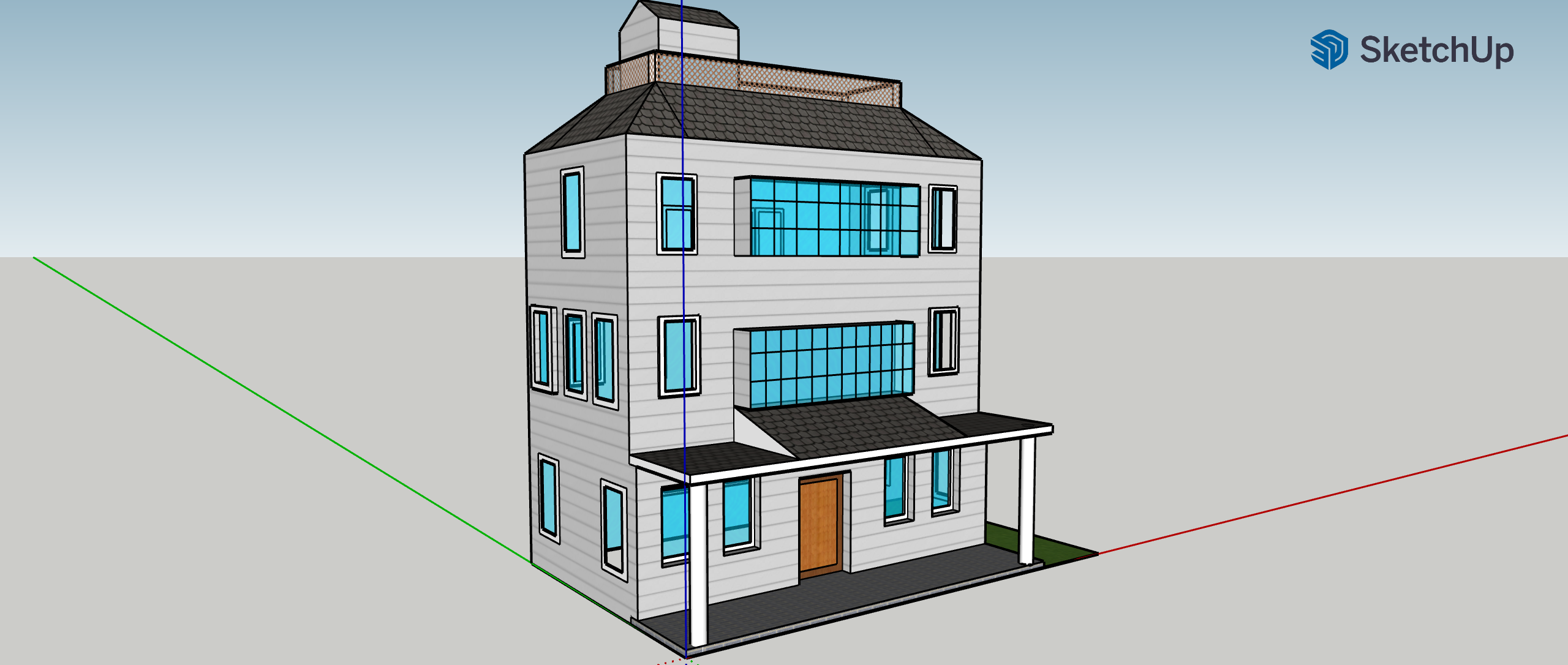
At first, I really struggled with SketchUp. I found the tool menu hard to navigate, because there were only small images of the tools, instead of a title or a description of how to use it. The tools were also setup in a hierarchical way that could be hard to follow (if you scrolled over an image of the tool, up to five variations of the tool would pop up alongside the original). It took a lot of trial and error to get used to the menu, and a lot of experimentation to fully understand all the variations of the tools. However, once I was more used to the program, I found SketchUp to be really fun! In addition to the basic tools, the program had a large variety of backgrounds and textures that helped make my house unique and easily recognizable.
The element of SketchUp that was most frustrating to me was navigating the landscape itself, especially zooming in and out. I am used to zooming in and out with my touchpad, but when I tried to do so on SketchUp, it either took me to the main menu of my laptop or zoomed too far in or out. This was really difficult, because a lot of elements of building my house required changing angles or zooming in on a certain feature and doing this was unpredictable for me. I ended up using the “Help” feature, which lead me to the tools that set a default setup and zoom that I could always fall back too. I also discovered a rotation tool that was really useful under the zoom tools.
Another thing that bogged me down a lot in this process was selecting specific elements in my construction. It was hard for me to isolate small features, especially with the erase tool. Similarly, I struggled with coloring my windows. Whenever I tried to color my side windows, I would always end up selecting the inside wall of my house to color instead. The layering of the different blocks and features was very difficult for me in SketchUp. I didn’t ultimately find a way to fix my side windows, but I found it helpful when selecting things in general to switch my angle of view and try from a new perspective.
Most of the compromises I made were about simplicity. I really wanted to capture all the unique details and features of my house, but some of them ended up being too complicated or time-consuming to re-create in SketchUp. For example, the back of my house in real life has two balconies. I chose to make these windows instead because I felt that adding the balconies would be too time-consuming, and a similar effect could be achieved by adding more windows, positioned closer together. Throughout my process, I also had to accept that imperfections of my house. As I mentioned above, I struggled to color my side windows and ended up coloring the inside wall behind them instead. After a lot of work trying to fix it, I decided that the coloring could still be seen through the windows and that the windows were a small detail that doesn’t hold all the attention of the viewer. I compromised on making a “perfect” house and instead, came to terms with the mistakes that I had made.
I can imagine using SketchUp for many humanistic purposes, including the 3D mapping of historical architecture, types of mapping and planning for the building of new cities and infrastructure. I believe that 3D modeling is important for visualizing and maintaining the legacy of old buildings, landscapes, etc. and preparing for the creation of new ones.
Overall, despite my hardships, I really enjoyed using SketchUp! A tip that I would give to other novice SketchUp users is to find and make use of the zoom and rotation tools, under the magnifying portion of the tool bar. These allowed me to navigate easily through my landscape, and I wish I had discovered them sooner.


Your model looks great! I too had trouble zooming in and out, especially on a mousepad.